











This website uses cookies to help improve your user experience




The current state of the TV market reveals a challenge for content distributors as users increasingly rely on older devices, with many consumers holding onto their TVs for an average of 6.6 years before upgrading, the trend of sticking with older devices has taken root. As Smart TVs sold a decade ago become unsupported, viewers often turn to set-top boxes to enhance their viewing experience. This trend is particularly notable in North America, where the weak demand for new TVs persists.
Media content distributors may find it lucrative to support streaming apps for these low-end devices, recognizing a significant portion of their audience may still utilize them. Adapting Smart TV applications to work seamlessly on these legacy systems can widen their reach and enhance accessibility, ensuring that even those with slightly outdated tech can dive into a world of entertainment.
Samsung, LG, and TCL dominate the premium Smart TV market segment, collectively accounting for nearly 80% of the revenue1. Notably, Samsung Smart TVs are already in 67.8 million in U.S. homes, representling 32% of all households2.
As the industry giant Samsung continues to dominate with its Tizen OS3, the call for inclusive streaming solutions that cater to a myriad of devices grows louder. Embracing this challenge not only fosters greater viewer satisfaction but also positions brands as forward-thinking allies in the ever-evolving realm of media consumption. But what should you keep in mind when building and maintaining video streaming apps for Samsung’s low-end TVs?
Imagine you’ve analyzed your audience and discovered that a significant number is still using low-end devices. These users might also represent a valuable opportunity for expanding your presence in a new market. To capitalize on this, you’ll need to adjust your app’s functionality for these low-end devices.
What challenges might you encounter along the way? Drawing from our project experience, we can help you avoid pitfalls and anticipate potential obstacles, offering effective solutions. Oxagile’s expert, Alexander Sakov, has outlined the key challenges and best practices for tackling them.

Alexander Sakov — JavaScript Engineer at Oxagile
Alexander has over a decade of experience in IT, almost ten years at Oxagile and over seven years focused on Smart TV application development. He’s adept at Smart TV development, ranging from standard OTT to gaming WebRTC, having contributed to numerous clients’ projects.
Key takeaways:
Samsung’s Tizen plays a significant role here. If your app is hosted, this could pose a challenge, as Samsung does not permit hosted apps for Tizen versions 2.3 and older. In such cases, you might need to consider making some adjustments, like converting the app to a packaged format.
A quick tip to keep in mind: With hosted apps, you have the flexibility to release updates independently, which can be quicker. However, when working with platforms like Samsung TV, you’ll need to adhere to their approval processes, which might lead to some delays in releasing your updates while you wait for the store approval.
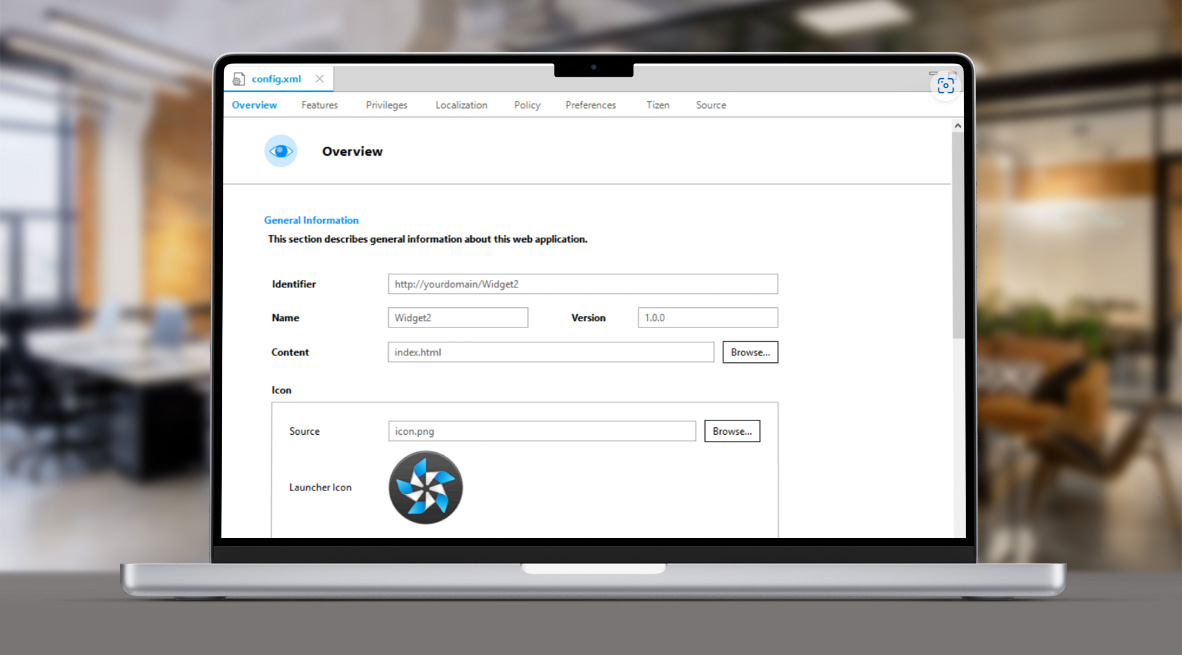
If your target audience includes Samsung users (and we’re confident it does), you’ll need to choose between a hosted app storage structure and a packaged one. While hosted apps offer certain advantages, remember that converting your app into a package is necessary for submission to Samsung’s app store. You’ll need to create a package that includes a link to the server where your app is stored, following Tizen’s guidelines for application configuration.
Once the configurations are complete, you’ll receive the index file for your app, which is the packaged version of your hosted streaming app. This version is then submitted to Samsung’s team for approval and release to the Store.
A quick note: You must also obtain approval from the Samsung team for the conversion of your app from packaged to hosted.
When developing Smart TV apps for Tizen, it’s important to consider the compatibility of older TV models with streaming technologies. For example, Samsung devices released between 2015 and 2017 do not support the combination of DASH streaming and PlayReady DRM. If you’ve configured this streaming setup, be aware that your app won’t play videos on webOS 3.5, Tizen 3.0, or earlier versions.
No worries, you can address this playback issue; you’ll have to change the configurations of streaming and DRM. For instance, changing PlayReady to Widevine will help.
Inline scripts are not permitted because the source expression “unsafe-inline” refers to content embedded directly within the resource. To comply with Samsung’s Content Security Policy, you must eliminate all inline scripts. This measure helps protect your app from potential attacks, as hackers can easily modify inline script links to redirect users to malicious third-party websites.
One of the challenges with existing Tizen apps is identifying all inline scripts and rewriting the code to maintain the original functionality while adhering to Samsung’s Content Security Policy. This task becomes particularly tricky when key features, like scrolling, rely on inline scripts.
When building Tizen OS apps from scratch, it’s crucial to avoid inline scripts. Instead, use external .js files, which are more secure and harder to manipulate when minified.

Oxagile’s experts know all the ins and outs of building quality TV applications. Check out our Tizen app development services for the details.
While low-end devices may have limited hardware capabilities, it’s essential to prioritize smooth streaming experiences over more advanced UX features. Here are some technical factors that define overall Tizen app performance optimization strategies, particularly on low-end TVs.
Animations in Samsung Tizen TV apps, while visually appealing, can significantly decrease performance, particularly on older devices. For instance, CSS animations like loaders can lead to increased load times and sluggishness, making the user experience less enjoyable. To address this, we may need to avoid animations, both CSS and JavaScript, resulting in a more basic interface that may sacrifice smooth transitions. Additionally, to accommodate newer devices when optimizing for older ones, we might have to support “if” code versions, slightly complicating Tizen OS development and maintenance flows.
Re-rendering can significantly hinder the performance of streaming apps, especially on older devices with limited memory capacities, such as TVs with about 500 MB of RAM. While modern browsers handle frequent updates smoothly, older processors struggle, leading to sluggish performance when managing large caches or complex layouts.
For example, in Electronic Program Guides (EPG), the presence of numerous individual DOM elements can overwhelm these devices. A potential solution is to use Canvas, which consolidates graphics into a single DOM element and uses JavaScript to render shapes dynamically. This approach reduces memory usage and improves performance by minimizing the number of elements the browser must manage. Although it requires more complex coding, this strategy can dramatically enhance responsiveness, ensuring a smoother experience across diverse device capabilities.
Exclusive hands-on insight: Still, for LG’s WebOS 3 and older versions supported by low-end devices, Canvas may not boost performance, while slowing down the app’s operation due to complex processes.
Additionally, the lazy loading technique can improve performance by loading content in segments. Another effective method is to utilize a library such as React Virtualized, which employs a performance-optimized strategy known as virtual rendering. It renders only the rows that are currently visible in a large list, minimizing the number of DOM elements created and thereby reducing performance overhead in applications. Essentially, React Virtualized displays only the necessary rows while using CSS styles to indicate the existence of additional hidden rows, creating a smoother user experience.
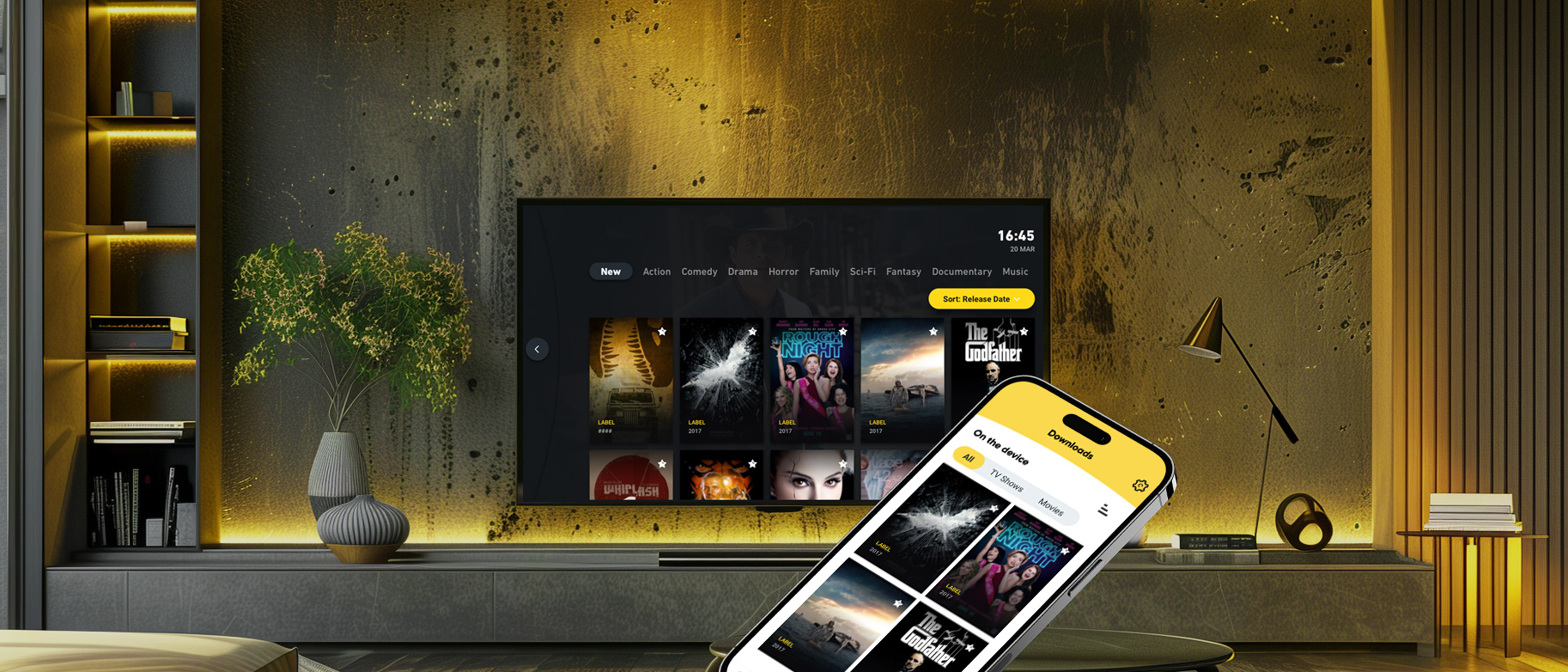
We achieved smooth content delivery, eliminating slowdowns and freezes for users, including those on lower-performance devices, through:
What happens when the second screen becomes first in engagement?
While understanding your audience’s content preferences is essential, it’s equally important to consider their TV usage habits. With the trend showing that consumers typically keep their TVs for about six years, you must weigh the benefits of supporting low-end devices against the risk of alienating a significant portion of your audience. This presents a dilemma, but Oxagile’s Smart TV app experts are always here to offer guidance and best practices.
From web and mobile to Smart TVs and streaming devices, we help deliver borderless, immersive viewing experiences tailored to every platform.
1. US Smart TV Market Analysis — Mordor Intelligence
2. U.S. Television Market – Brand Share Landscape — Grand View Research
3. Samsung’s Tizen is the leading Smart TV platform — FlatpanelsHD

Samsung Smart TV Tizen apps for low-end devices differ primarily in their optimization for older hardware. Newer models can handle advanced streaming technologies and dynamic UI elements, yet low-end devices often struggle with performance issues.
For example, low-end devices may not support high-definition streaming or modern DRM standards, which means developers must adjust the app’s video streaming setup, using more compatible formats like Widevine instead of PlayReady. Additionally, UI animations and re-rendering processes need to be simplified to prevent lag and improve overall app performance.
Developing Tizen Smart TV apps for low-end devices presents several challenges. Older Samsung TVs, especially those released before 2017, have limited processing power and memory, which can hinder performance when running modern streaming technologies. Issues like unsupported DRM formats, such as PlayReady on older Tizen versions, require developers to adapt the app’s streaming configurations. Moreover, Samsung’s Content Security Policy restricts inline scripts, requiring developers to refactor code to maintain functionality without compromising security.
To optimize Tizen apps for low-end Samsung TV sets and devices, you should focus on performance efficiency. This implies reducing or eliminating resource-heavy elements like CSS animations and simplifying UI designs which can help avoid slowdowns on devices with limited RAM and processing power. Prioritizing memory-efficient techniques such as lazy loading and virtual rendering reduces reduce the load on older devices, whereas switching from PlayReady DRM to Widevine may resolve compatibility issues with streaming on older Tizen versions to achieve smoother playback.
To reduce memory and CPU usage in Tizen TV apps for low-end devices, you need to optimize the app’s code and its rendering techniques. Avoid heavy re-rendering processes by minimizing the number of DOM elements, which can overwhelm low-end devices with limited memory. Using Canvas for dynamic rendering to consolidate graphics into a single DOM element, allows to lower memory consumption and improve performance.
Apart from that, lazy loading content and utilizing performance-optimized libraries like React Virtualized lets you render only the visible portions of content, reducing the load on older devices. Plus, simplifying animations or eliminating them altogether can have a positive impact too, as complex CSS and JavaScript animations slow down performance on devices with lower processing power.

